





How to Check Your Pulse: Methods, Tips & Results
Mar 28, 2026
Last Updated On: February 10, 2026
Do you know you should renew your CPR certificate within three months of its expiry, or you risk losing your life-saving skills? An Oman Medical Journal report shows a significant decline in CPR skills retention between three and six months after initial training. The rapid skill degradation can affect your ability to act when cardiac emergencies strike, decreasing the survival chance by 10% for every minute.
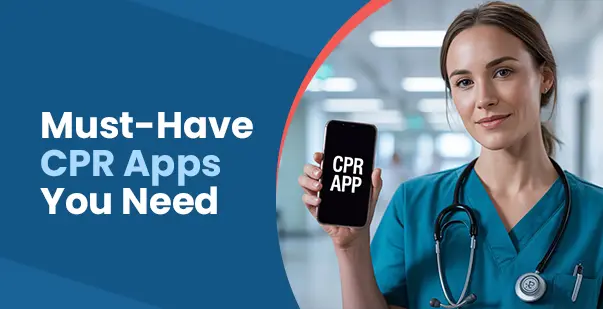
Traditional classroom-based approaches offer limited scheduling flexibility and can’t adapt to your pace. Now, what if your smartphone could be your instructor? CPR training apps offer convenient, science-backed learning platforms that fit your schedule to help you reinforce your life-saving skills. But how do these digital tools help with long-term skill retention? Keep on scrolling to find out!
Mobile apps can be supportive but never substitute for standard training with manikins, practice partners, or computer simulations. Standard CPR training has long been scheduled in a face-to-face setting, conducted by certified instructors with manikins, printed learning materials, and live demonstrations. Despite hands-on experience, standard classes also have their drawbacks. They require scheduling, travel, and significant fees. Moreover, they often lack regular refresher sessions, which creates a gap in trained individuals, making them forget key steps in CPR.
Mobile apps are addressing the challenge by supplementing traditional training with on-demand, repeatable, and interactive digital CPR learning resources. With advances in mobile technology, you can learn CPR via short videos, interactive quizzes, real-time simulations, voice guidance, and motion sensors.
Visit www.cprcare.com for CPR courses & certifications
Only 2.4% of the population is trained for CPR every year, as per a study published in the Journal of Primary Care and Community Health. The mobile apps have specific advantages over conventional learning methods, with skill maintenance becoming more convenient for various groups of users. Here’s how the apps will improve your training.
Mobile apps allow you to learn CPR at your own pace. It is suitable for both parents who want to be ready to handle any pediatric emergencies and healthcare professionals who want to advance their careers. These apps provide flexible options to revisit content repeatedly to reinforce knowledge, which is not possible with a one-time physical course.
Many CPR training apps are now adding realistic simulations and gamified modules to improve retention and engagement. For instance, you might be taught by on-screen prompts to simulate chest compressions using your phone’s touchscreen. You will also receive real-time feedback on your speed and rhythm using motion sensors.
There are some mobile apps for CPR training that are designed to be utilized during actual cardiac emergencies. They give voice instructions step by step to help you provide appropriate care until the professional responders reach the scene.
You can now receive your certification and recertification through the app once you complete the training. The apps provide digital credentials while also offering automated reminders for refresher courses so that your knowledge doesn’t fade. In fact, some platforms offer continuing education credits or certification renewal options.
Mobile apps can break down the barriers with language barriers and are accessible through multilingual support. It also provides voiceover narration for visually impaired students and easy graphics for students with learning disabilities. These make a wider population able to access the CPR training.
The online marketplace is filled with various mobile CPR and first aid apps, each having special features to complement your emergency response skills. Here we have compiled some of the best ones that are exceptional in reinforcing skills.
The AHA’s official app is the gold standard for CPR practice resources. The AHA Knowledge Booster app is an engaging, quiz-based app designed to reinforce essential CPR, emergency cardiovascular care, and First Aid knowledge. The app is for healthcare professionals and the general public looking for authoritative emergency training material.
Key Features:
A professional-grade application, the QCPR Classroom App enables instructors to train more people simultaneously while maintaining quality control. Training centers and medical institutions use this app to carry out standardized skill assessment and documentation. The app provides collaborative learning opportunities with real-time performance tracking.
Key Features:
CPR Coach is specifically designed to focus on hands-only CPR training with simplified functionality. The minimalistic design of the app avoids distractions during emergency responses while delivering vital instructions. Visual metronomes and haptic feedback systems help users stay on schedule with compression timing and method.
Key Features:
PulsePoint Respond is a 911-linked mobile app that will instantly notify you about emergencies taking place in your neighborhood and will ask for your assistance when cardiac arrest happens. The platform builds networks of trained responders who can supply critical help before expert aid can be offered.
Key Features:
Lifesaver is an interactive film-based game intended to educate the general public on lifesaving skills in CPR and first aid through decision-making interactive scenarios. The app also features Hollywood production standards coupled with medical precision for immersive learning.
Key Features:
It is common for every CPR-trained individual to make errors during the resuscitation process. Mobile CPR practice tools help you to focus practice sessions on areas where you struggle. Here are some common mistakes that apps help you avoid through proper guidance.
The most frequent mistake you might make in CPR administration is giving compressions that are either too slow or too fast. Proper pressure during chest compressions helps with blood circulation and keeps oxygen flowing to the brain. For instance, accelerometer technology in apps helps to analyze your compression depth and offer instant feedback.
When you bend your arms during CPR, it can reduce compression effectiveness. You need to keep your arms straight while avoiding locked elbows. CPR training apps offer visual cues and interactive demonstrations to ensure proper body position so that you can provide maximum force transfer during compressions.
When you make mistakes in delivering rescue breaths, it can have a huge impact on the effectiveness of CPR, especially in two-person situations. Mobile apps allow you to learn the appropriate airway opening skills and ventilation timing. Take advantage of the visual feedback to avoid overventilation, which compromises blood return to the heart.
Skill reinforcement with traditional classes has its own set of limitations. However, mobile apps make it easy to integrate the training into your day-to-day life with strategic planning. Here’s how you can train with mobile learning solutions.
Set out routine practice sessions according to your occupational needs and comfort level. For example, if you work in the healthcare field, you could use the apps to practice every week. You can associate your practice with a habit you already have, such as practicing immediately after your weekly team meeting.
Practice in settings like workplaces, gyms, or public areas, during physical exhaustion, or under time constraints, to develop stress resiliency. The more realistic and uncomfortable your practice, the more automatic and confident your responses will be.
Maintain a plain log of your practice sessions, on what you practiced, what went well, and what still needs improvement. Check those metrics once a week and reward yourself for your progress. Share your improvement with colleagues or teachers to receive good feedback or suggestions for improvement.
Set measurable, specific goals such as maintaining constant compression depth in emergencies. Note down those goals, establish deadlines, and divide them into weekly, manageable goals. When you get one done, the sense of achievement will motivate you to get the next one done.
Medical professionals and non-medical personnel alike share one problem: skill retention of CPR after initial training completion. Conventional CPR training follows a standard formula: take a course, get certified, then practice only until recertification comes years later. CPR Mobile apps promote skill retention through individualized learning experiences and instant access. These digital tools offer convenient, low-cost access to realistic practice simulations.
Ready to enhance your lifesaving capabilities? Enroll in a professional online CPR certification course today to build the foundation for your CPR skills. Let the convenience of online learning and seamless access to mobile apps enhance your emergency readiness.
Read More:
Subscribe
Search Here
Select Courses
Recent Posts

How to Check Your Pulse: Methods, Tips & Results
Snake Bites – First aid, Treatment and Symptoms
Categories